
Jump to an article or press Enter to search all help pages.
Analysis history
On this page
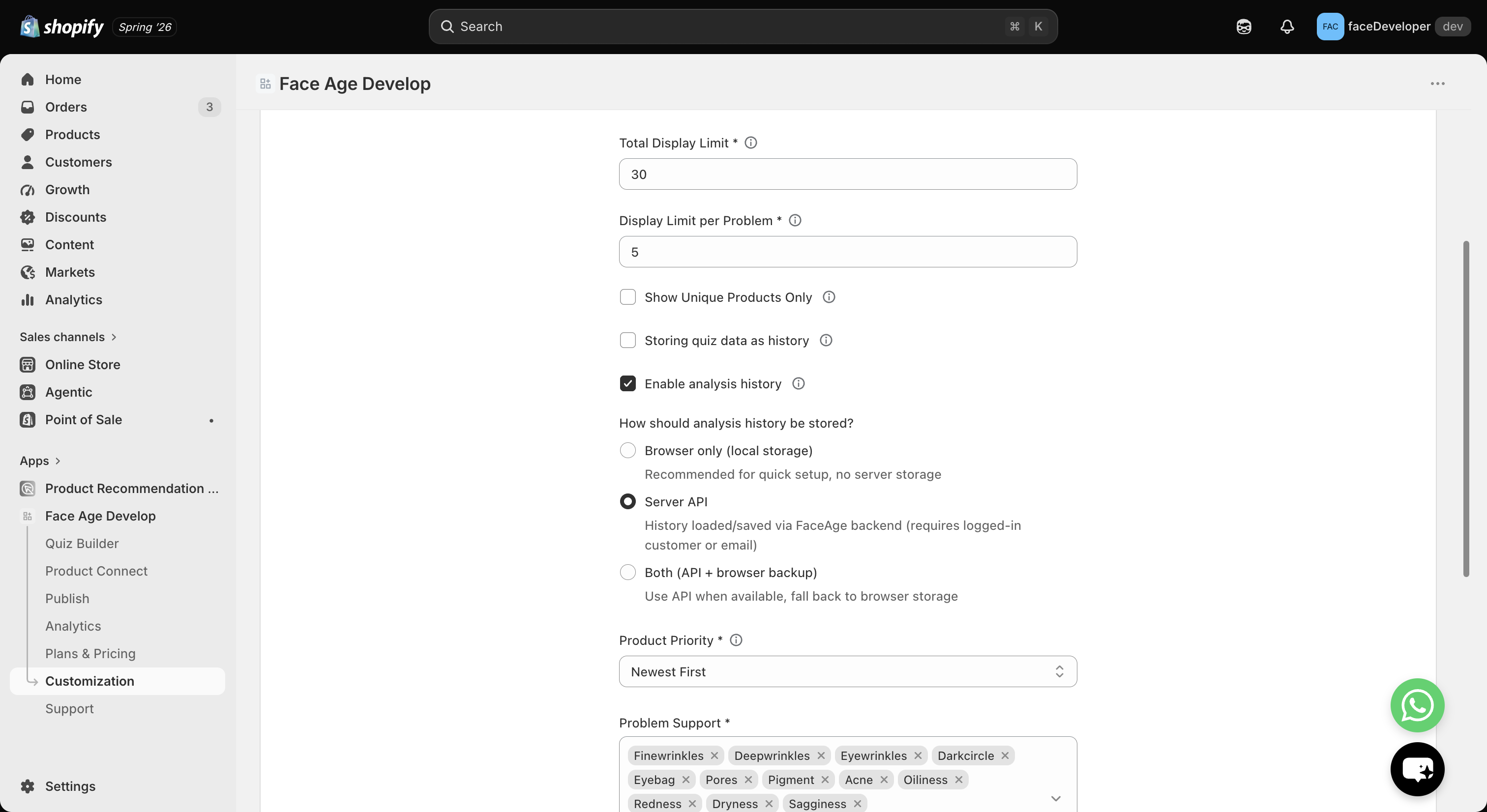
You can choose how customer analysis history is stored and retrieved — giving you flexibility based on your preferred customer experience and data requirements.
Storage options
Browser Cache (Local Storage) No login required
- Analysis history is stored only in the customer’s browser.
- No data is stored in the Face Age backend.
- Provides a simple setup experience.
Face Age API Requires Shopify customer login
- Analysis history is securely stored in the Face Age backend.
- Customers can access their history after logging in.
- History can be available across sessions.
Hybrid Mode (API + Browser Cache) Recommended
- Combines backend storage with browser cache.
- Provides better data persistence.
- Offers the best overall user experience.
How to change analysis history storage
- Open Shopify Admin.
- Go to Apps → Face Age.
- Navigate to Customization → Basic.
- Select your preferred storage method.
- Click Save.
Enabling API-based history
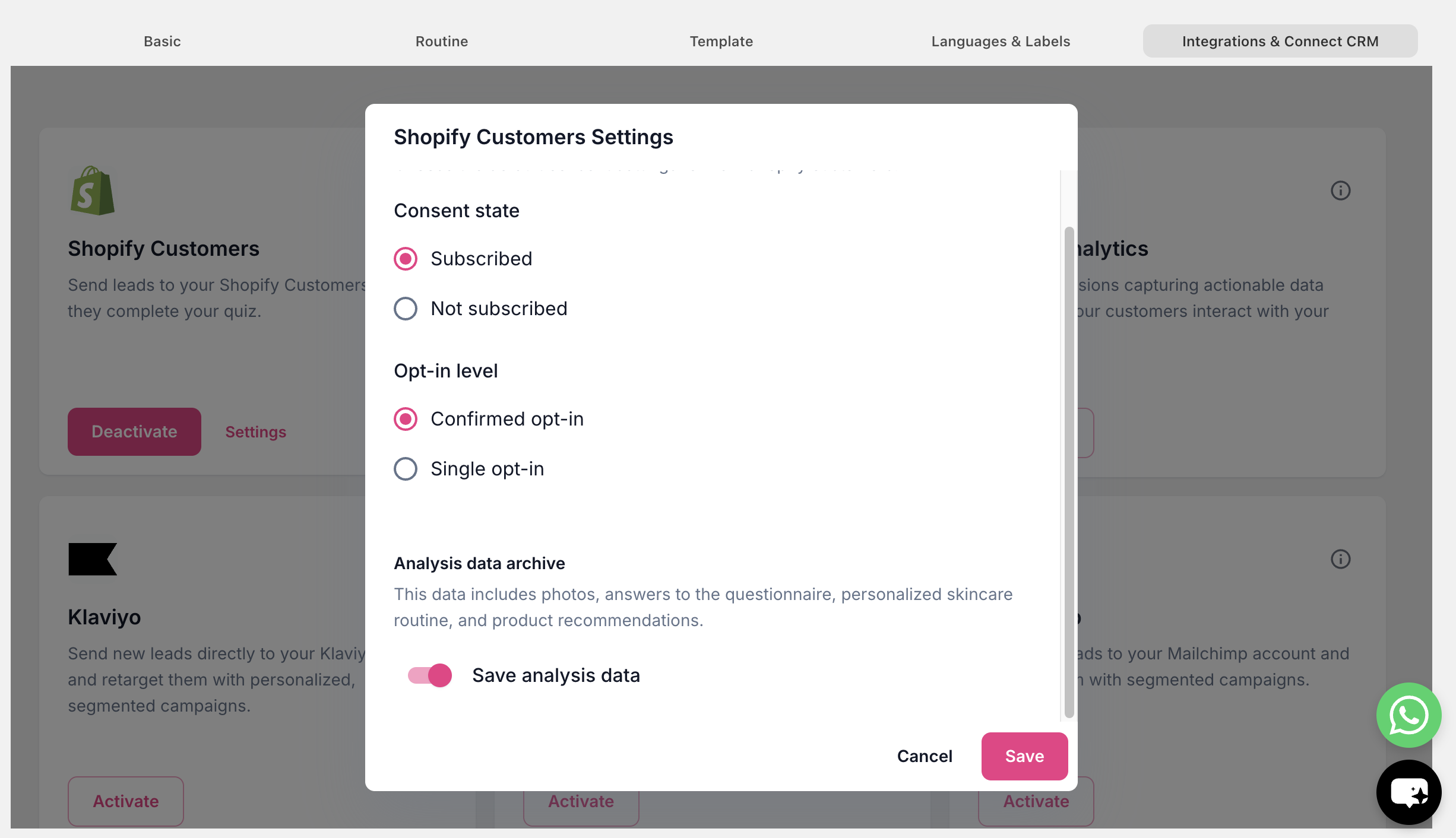
If you choose API or Hybrid Mode, your store must grant Face Age permission to access Shopify customer data.
Go to: Shopify → Face Age App → Customization → Integrations & Connect CRM
Then enable: Shopify Customers (Settings) → Analysis Data Archive
| Your goal | Recommended option |
|---|---|
| Simple setup | Browser Cache |
| Access history across devices | Face Age API |
| Best customer experience | Hybrid Mode |